How to price a small trade job: from enquiry to invoice
Follow one worked UK job through labour, callout costs, materials markup, VAT, an accepted quote, agreed extras and the final invoice.
On The Tools HQ editorial team · Updated 2026-11-19
Start with the work, then price the job
A useful price connects the customer’s request, your costs and the work you will actually deliver. This guide follows a fictional kitchen-tap replacement from enquiry to final invoice. All prices and times are illustrative, not typical UK charges. The main example assumes a VAT-registered business carrying out a standard-rated domestic repair, with eligible materials VAT recoverable. Use your own rates, job scope and VAT position.
1. Turn the enquiry into an agreed scope
Before offering a fixed price, establish what needs replacing, who supplies the tap, access arrangements, likely parking or travel costs and whether a visit is needed to assess the work. Ask for relevant photographs if useful, but do not treat a photograph as proof of hidden conditions. For this example the job covers replacing one tap, supplying the agreed replacement, testing the finished work and removing the old tap. Remedial pipework is excluded and would need a separately agreed price. These are scope questions, not instructions for carrying out plumbing work.
2. Choose a quote or an estimate
Label the document clearly. A quote sets a price for the agreed scope; an estimate gives an approximate price that may change. If you cannot assess the work confidently, explain the uncertainty and agree an assessment or estimate rather than presenting an unsupported fixed price. Record inclusions, exclusions, access assumptions and a validity period. Agree chargeable extra work before doing it; an estimate is not a blank cheque and a fixed quote is not permission to add an unexplained contingency later.
3. Set a selling rate that covers your working day
Your hourly selling rate needs to recover more than time holding a tool. Consider overheads, non-billable administration, vehicle and insurance costs, and the profit you want the business to earn. The hourly and day rate calculator provides a planning starting point using your own assumptions. We use £60 an hour here solely to demonstrate the arithmetic. It is a selling rate, not a wage or a claim about what local customers will pay. Avoid adding the same overhead again as a separate job cost.
4. Decide what the attendance price already includes
Using the callout calculator, enter £60 an hour, 2 attendance hours, 0.5 hours of round-trip travel, 20 round-trip miles at £0.50 a mile, £5 direct parking costs and no surcharge. Time is £150, vehicle costs £10 and parking £5: £165 excluding VAT in total. This already includes two hours on site, so do not add another £120 labour line on top. If you instead sell an attendance-only fee with on-site work billed separately, use zero attendance hours in that calculation and explain the arrangement to the customer. The mileage figure is a business assumption, not a tax allowance.
5. Price materials using the cost your business actually bears
Assume the replacement materials cost £80 excluding VAT, with a supplier invoice of £96 including VAT. In our main example the £16 purchase VAT is eligible for recovery, so the costing basis is £80. A 25% markup gives a £100 selling price excluding VAT: £80 × 1.25. The £20 difference is a 20% gross margin on that material sale, not a 25% margin. Use the materials calculator to check the distinction. Recovery depends on your purchases, evidence and VAT scheme; being registered does not make every purchase VAT-free.
6. Give the customer one clear total
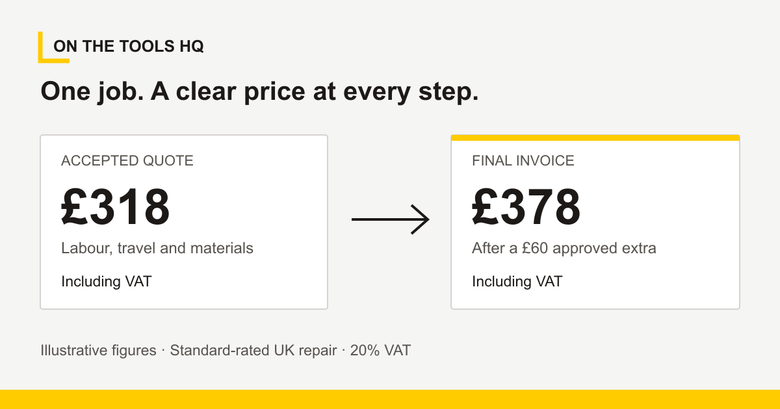
The original quote is £165 attendance, labour and travel plus £100 materials: £265 excluding VAT. At the assumed standard 20% rate, VAT is £53 and the customer total is £318 including VAT. Make £318 prominent on this domestic-consumer quote, with the breakdown underneath. State that two on-site hours and the specified materials are included, and identify excluded remedial work. The example’s 20% rate is not a rule for every building job: qualifying work can have different treatment. Check the applicable rules for the actual supply.
7. If you are not VAT registered, change the cost basis too
Do not add a VAT charge of your own if you are not VAT registered. In this example the £96 supplier bill would normally be the material cost you bear. Applying the same illustrative 25% markup gives £120 for materials. Keeping the example’s £165 time and travel selling charge unchanged would give a £285 customer total, with no separately charged VAT. This is a different cost-and-price example, not a way to remove £53 from the registered business’s quote or a recommendation to undercut it. Do not describe non-registration as zero-rated VAT.
8. Record acceptance before booking the work
Keep the quote version, agreed scope and customer’s acceptance together. Confirm the appointment, access and how payment will be made. If the customer changes the material choice before work starts, revise the quote and obtain acceptance of the revision. A useful job record preserves what was accepted so the person doing the work and the person sending the invoice use the same figures. These are practical record-keeping suggestions; the example does not claim a particular software subscription includes every step.
9. Agree an extra before carrying it out
Suppose a separate isolating-valve replacement is identified and the customer wants it included. For illustration, the extra part costs £16 excluding recoverable VAT and sells for £20 after a 25% markup; another half hour at £60 adds £30. The additional price is £50 excluding VAT, or £60 including the assumed 20% VAT. Explain the extra scope, price and any timing change, and retain the customer’s approval before proceeding. The revised total becomes £378 including VAT. If the extra is not approved, resolve the scope with the customer rather than silently increasing the bill.
10. Invoice the completed work and reconcile the payment
For our registered example, the final invoice shows £165 time and travel, £100 original materials and the £50 agreed extra: £315 excluding VAT, £63 VAT and £378 including VAT. There was no deposit in this example. Include a unique invoice number, your business and customer details, a clear work description, the supply date, invoice date, charges, applicable VAT and amount owed. A full VAT invoice has additional requirements, including your VAT registration number, tax point, service extent or quantities, rates and VAT total. Use the appropriate invoice format for the customer and supply; link the accepted quote and variation to it, state payment terms clearly and reconcile the actual payment received.
11. Review the job and trial the same workflow in software
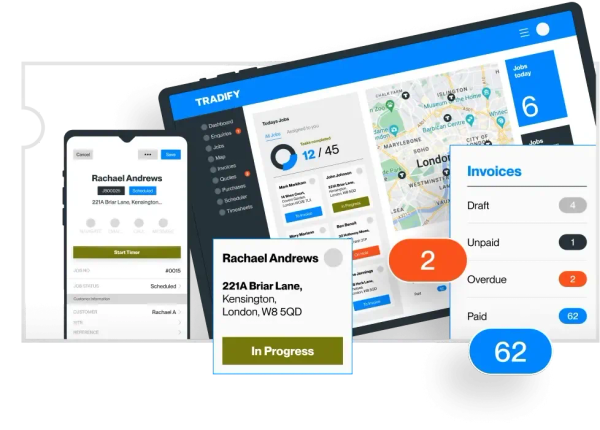
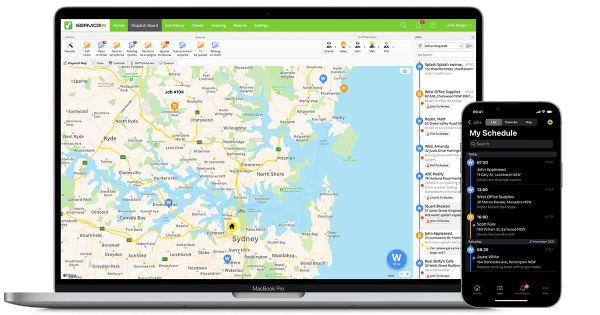
Compare actual attendance, travel and material spend with the assumptions used in the quote. If the job overran, use that evidence to improve the next price; it does not by itself justify changing an accepted fixed quote. For a software trial, enter this fictional enquiry, issue the £318 quote, record acceptance, add the approved £60 variation and produce the £378 invoice. Check for duplicate labour, lost approval records and incorrect VAT totals. The comparisons below describe documented differences between Jobber, ServiceM8 and Tradify. They are a shortlist for testing your workflow, not a claim that we ran this example in those products.
Calculate your own figures
Sources and date checked (8)
Supplier documentation. Product imagery belongs to the respective supplier.
- Rochford Council: appointing a contractorChecked 2026-11-19
- CMA: clear and accurate price informationChecked 2026-11-19
- HMRC: charging VATChecked 2026-11-19
- HMRC: reclaiming VAT on business expensesChecked 2026-11-19
- HMRC: VAT for buildersChecked 2026-11-19
- GOV.UK: what invoices must includeChecked 2026-11-19
- HMRC: VAT guide, Notice 700, section 16Checked 2026-11-19
- On The Tools HQ: callout calculation modelChecked 2026-11-19