

UK pricing: compare the full first-year cost
Joblogic Standard starts at £49 per user per month, billed annually. Premium and Enterprise require a quote, so the Standard headline does not price a deployment needing their additional functions. Simpro does not publish a comparable UK seat price: its quote varies with office and field users and selected add-ons, and there is an initial fee for onboarding, training and migration. Request an itemised first-year total and renewal total from both, including subscriptions, modules, integrations and implementation. Confirm VAT treatment in writing. A supplier quote is necessary before making a like-for-like claim about which is cheaper.
Scheduling: planner, routing and engineer tracking
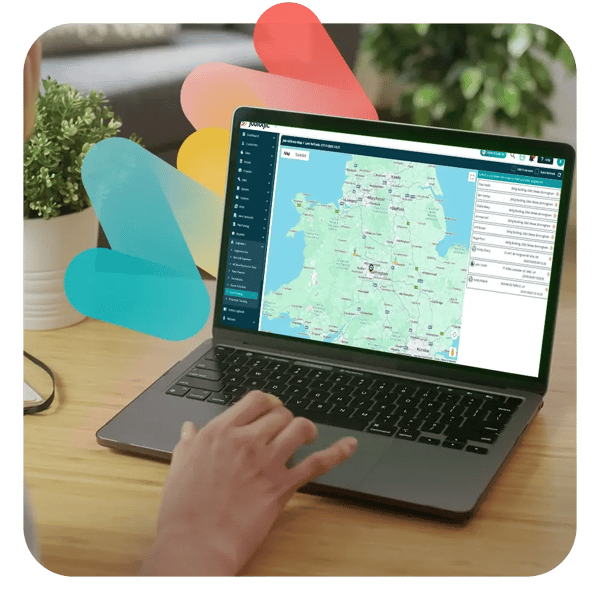
Joblogic Standard includes a planner and recurring jobs; Premium adds route scheduling, engineer tracking and planned-maintenance contracts. Simpro documents drag-and-drop rescheduling, day-to-project schedule views, zones, team and equipment allocation, and conflict alerts. Its fleet-tracking offer involves Simtrac, whose scope and cost need a separate check. In both demonstrations, introduce an urgent callout after the day is planned, remove an unavailable engineer and reassign a two-person job. Check the revised appointment, travel allowance and instructions received on each phone. Ask which demonstrated routing or automation belongs to the quoted package.
Reporting and real-time visibility
Joblogic places standard reports in Standard and advanced reports in Enterprise. Its Dynamic Reports help documents filtered CSV export and scheduled delivery; a separate Reporting Database offering provides external BI access with a plan-dependent refresh. Simpro documents productivity, work-in-progress, job profit and cost-to-complete reports. Its reporting FAQ refers to BI being included with Simpro Premium, while custom reports built by Professional Services cost extra. Confirm that product and report entitlement in your quote. Ask each supplier to trace one dashboard figure back to the job records, state the refresh interval and export the filtered rows. A live-looking dashboard alone does not establish how fresh its data is.
Job costing: reconcile costs and margins
Joblogic documents estimated, quoted and actual job costs, including labour, travel and parts. Simpro offers reporting on job profit and work in progress, but the definition matters: its Profit/Loss Job report covers invoiced jobs, and summary and job reports can differ because of date and cost-centre rules. Its resource cost excludes overhead. Give both suppliers the same quoted job with overtime, a materials substitution, subcontractor cost, variation and partial invoice. Ask them to explain estimated, committed and actual cost, then show what changes when a late supplier invoice arrives. Agree where overhead and uninvoiced work belong before comparing margins.
Accounting, data integration and exports
Joblogic advertises Marketplace API access, and Simpro publishes a REST API and developer specification. Simpro also lists accounting connectors in its marketplace. Those facts do not establish that your chosen connector transfers every invoice, credit, tax code or attachment in both directions. Ask each supplier to name the connector, responsible provider, subscription and setup charge. Test a sample invoice, payment correction and credit against your actual accounts package, including duplicate handling and failed-sync recovery. For reporting integrations, request the available fields and refresh terms. Include an exit export of job history and attachments in the buying checklist.
Subcontractors: check portal access and paid licences
Joblogic documents a Subcontractor Portal for controlled access to assigned work without giving the external subcontractor a full Joblogic licence. That does not make the portal module itself free. Simpro includes field and contractor scheduling in its base-plan description; confirm the actual contractor login, mobile access and charging arrangement rather than equating that description with a free full user. In each demo, assign external work, collect completion evidence and reconcile the contractor charge against the job. Check which internal notes, customer prices and unrelated jobs the external user can see. Get the licence and module costs written into the offer.
Growing from 30 to 60 engineers
Count office staff and managers as well as engineers when requesting quotes. Joblogic says its per-user pricing scales to 50 users and that larger teams normally receive a custom commercial agreement. A business moving from 30 to 60 engineers therefore needs a future quote, not a simple extrapolation of the £49 Standard headline. Simpro also tailors pricing to team size and modules. Request matching current-team and future-team offers, with the same depots, reporting, permissions, stock and subcontractor requirements. Rehearse the busier dispatch scenario and agree training, migration and support responsibilities. Headcount alone cannot establish which system will suit the business better.
Mobile work: check what happens without a signal
Joblogic says visit details must be downloaded while online before engineers can complete visits, forms and signatures offline and sync later. Simpro documents access to the last received mobile data and automatic sync after reconnection. Test both on your actual iPhone or Android devices: sync an assigned job, disconnect, record the required time, notes, photos and paperwork, then reconnect and inspect the office record. Also change the schedule in the office while the phone is offline. Record which actions remain possible and how conflicting changes are resolved; broad offline support is not proof that every task works without a connection.
Contracts, onboarding and the demo decision
Joblogic describes 24- or 36-month contracts, with a 12-month term available by agreement, and scope-dependent onboarding fees. Standard has a no-card trial; higher tiers use tailored demonstrations. Simpro offers monthly or annual billing and an initial implementation fee, with training and migration support to scope. Billing frequency alone does not establish cancellation rights. Before signing, obtain the term, renewal price, user-reduction rules, migration coverage and exit arrangements. Finish the same sample job through quote, dispatch, completion, costing and accounts in both systems, and identify the paid configuration used at every step.
How this comparison was researched
We checked current supplier pricing, product documentation, help guides and developer references on 19 November 2026. This is a documentation-based comparison; we have not completed timed hands-on tests of either system. The demo scenarios above are original buying checks for you to run with the suppliers. Published feature support establishes documented availability, while the exact package, integration behaviour and implementation outcome still need confirmation for your business.